Jan 6, 2026
Nvidia came to ces 2026 with some good updates for RTX GPU owners and gamers.
Nvidia DLSS 4.5 Super Resolution, to enhance over 400 Games & apps, Nvidia App Beta official update, and Nvidia Broadcast Improvements.

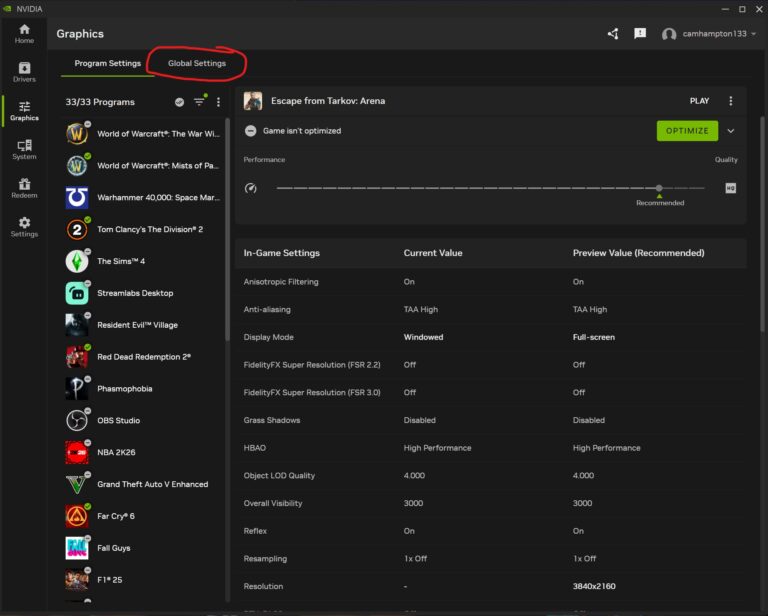
Getting to the settings
To enable these settings you should identify what you want. Then navigate to the graphics tab, in the tool bar at the top is the global settings tab. This is where you want to change the global setting so these settings are applied to every game and app that can use them, therefore giving you the best performance.
A nice quality of life change has been added to the nvidia app. The surround setting that usually is within the nvidia control panel software is now added to the Beta Version of the app and I like it.
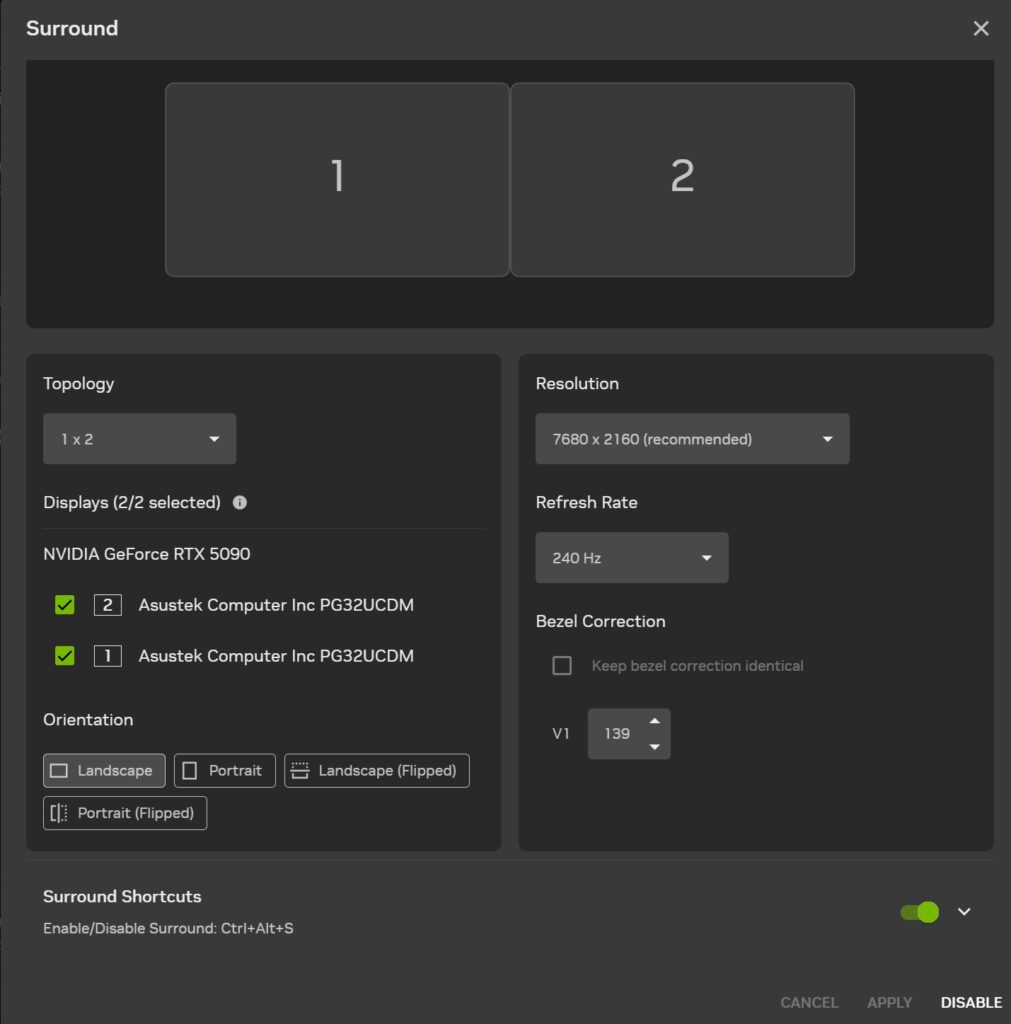
NOTE: After testing the Nvidia app way to enable Surround is extremely broken and buggy. Some common things are just not working properly in app, and very long wait times for things to settle themselves and work as intended. Compared to the regular Nvidia control panel.
So, I would recommend to stick with still using he Nvidia control panel for surround on multiple monitor setups specifically.
Another few things from Nvidia, Gsync Pulsar, which is an upgrade on the G-snyc tech. Basically it is what makes games look buttery smooth, while gaming. And G-Sync Pulsar is the latest version of this and is only on newest monitors. I’ll just leave the video below
This is the list of the monitors that have this tech.
To the official Nvidia page.
https://www.nvidia.com/en-us/geforce/products/g-sync-monitors/specs/
Finally, in terms of monitors, the Ambient Adaptive Tech needs to be seen in person because by the way it is described on the update brief, is just a marketing expression for Nvidia’s night mode. Which is something that already exist in windows called Night Light.
I'll just leave the video in regards to RTX Remix above.
In addition, Nvidia is bringing Geforce now to Amazon fire Tv and Linux. Boy I can’t imagine playing a sweaty game of COD on my firestick , but alas there is the option out there for all kind of gamers to play amazon story rich and visual games through.
In conclusion,
My thoughts on this Geforce at CES 2026 shown me that nvidia are working hard to bring us great products. We don’t need to bring up the prices of these GPU’s however I would say that it is promising as a person with a newer GPU from Nvidia.
Also, I see a similarities in the way that Nvidia has a whole ecosystem of app that can use your GPU’s power to its fullest, something like an adobe ecosystem. All kinds of applications, software, etc to bring your workflow to a new level. I just hope that they do not bring a subscription too us. I love that it is one time payment and you get all this great stuff.